 Sleep Charts
Sleep Charts
Sleep Charts
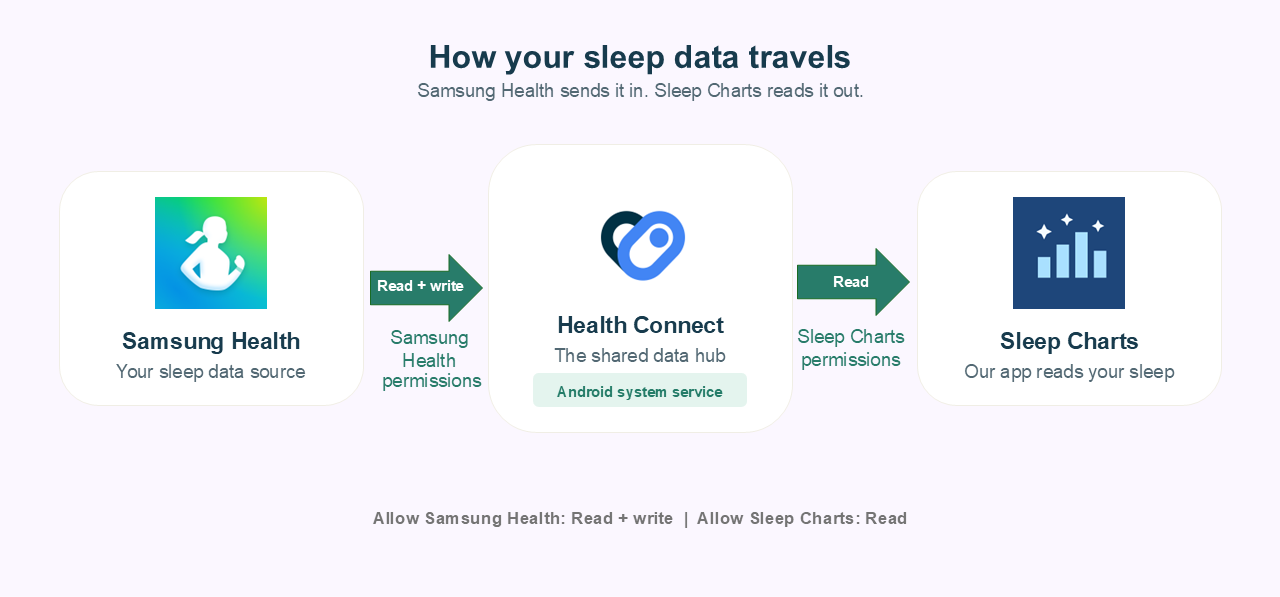
This guide will show you how to connect Samsung Health to Health Connect so our app can read your sleep data securely.
Open the Samsung Health app on your phone. Tap the three-dot menu icon in the top right corner and select Settings.
Scroll down in the Settings menu and look for Health Connect. Tap on it.
You will be taken to the Health Connect permissions screen for Samsung Health. Tap on Allow all or manually select the data types you want to sync (make sure Sleep is enabled for our app to work properly!).
Tap Allow at the bottom of the screen to confirm the connection. Samsung Health is now linked to Health Connect!
As mentioned above, the official integration won't sync data from the past. If you need your historical sleep data to show up in our app, see our historical data guide. We recommend using Health Sync, a third-party application available on the Play Store that supports historical syncing between Samsung Health and Health Connect.